Download
One file, 1.6 GB, for any 64-bit PC.
SHA-256 c36bf91cb394e877558e1a55d1acc2568a931d6373f4134ea7e9f2831de6c1ce
Check your download: sha256sum spaced-linux-11.26.2-amd64.iso must print this value.
 SPACED LINUX
 · 11.26.2
Spaced Linux is a free desktop that looks the way you are used to, comes with a voice assistant that runs on your own hardware, and never asks you to sign in to use your own PC.
THREE STEPS
Spaced Linux runs straight from a USB stick. Nothing on your computer changes until you choose to install.
One file, 1.6 GB, for any 64-bit PC.
SHA-256 c36bf91cb394e877558e1a55d1acc2568a931d6373f4134ea7e9f2831de6c1ce
Check your download: sha256sum spaced-linux-11.26.2-amd64.iso must print this value.
Any stick of 2 GB or more. Everything on the stick is erased.
On Windows use Rufus; on Windows, Mac or Linux use balenaEtcher. Choose the file you downloaded, choose the stick, press start.
Restart with the stick plugged in and pick it from the boot menu (often F12, F9 or Esc as the PC starts). No boot menu? Open the BIOS setup with F2 or Delete instead and move the USB stick to the top of the boot order. Spaced Linux opens as a complete desktop you can use straight away.
When you like it, the Install icon on the desktop puts it on your disk. Help with each step →
The same ISO doubles as a rescue stick. Boot it on a PC that will not start and the recovery tools are already there, on the stick. Use the stick to rescue a PC →
ONE STICK, TWO JOBS
Boot the same stick on a PC that will not start and choose Start Spaced Linux: you get a working desktop with tools to repair partitions, recover lost files and photos, copy data off a failing drive, and read a drive's own health report.
Nothing is installed or changed unless you choose to, and the installer removes these tools, so they never end up on the system you install.
GPartedTestDiskPhotoRecddrescuesmartctlcryptsetuplvm2ntfs-3g
How to use the rescue tools →VOXA, THE VOICE OF SPACED LINUX
“Voxa, open LibreOffice.” “Start dictation.” “Play some jazz.” “What time is it?” Voxa opens apps, types what you say, plays music, sets reminders and looks things up, and she hears you over your own speakers.
Speech recognition and the AI model run on your computer. No account, no subscription, and you choose the model.
See everything Voxa can do →COMING FROM WINDOWS?
Windows 10 is no longer supported, and many good computers are not allowed to run Windows 11. Spaced Linux runs on them, costs nothing, and can look like the desktop you already know: there are thirteen complete themes, including Windows XP, Windows 7, and Windows 11 styles.
Your files stay yours, updates never restart your PC without asking, and there is no advertising in the desktop.
See the themes →ONE DESKTOP. TWO AUDIENCES.
Spaced Linux removes needless friction for new users without hiding the operating system from people who want to understand and reshape it.
A conventional desktop, clear menus, graphical installation, sensible controls, and modern applications through Flathub.
A transparent Devuan base with sysvinit, plain-text configuration, Compiz controls, APT, Flatpak, and reproducible ISO builds.
THE ACTUAL DESKTOP
These screenshots show published Spaced Linux environments: themed desktops, familiar productivity software, media tools, web browsing, and local AI workflows.

COMPIZ IS PART OF THE DESIGN
Compiz is the primary window manager and compositor—not a novelty bolted on later. It provides fluid animation, workspace behavior, window organization, accessibility tools, keybindings, and the visual character of Spaced Linux.
Read the design documentation →HELP WHEN YOU NEED IT
Spaced Welcome includes a concise Compiz quick start and task-based app suggestions. Each suggestion opens the exact app page in SpacedBazaar, ready to install.
Rotate the cube with Ctrl+Alt+left-drag and zoom with Shift+Super+mouse wheel. Use Shift+Print to capture an area.
Start with what you want to do—edit video, create graphics, record audio, play games, communicate, or write code.
After setup, check Timeshift for the “Fresh install” restore point and confirm snapshots work on your disk layout. Keep a separate backup of personal files.
CONTROL WITHOUT CHAOS
Devuan and sysvinit keep services and startup behavior conventional and scriptable.
APT powers the system while Flatpak delivers current desktop software.
Package groups, overlays, theme mappings, scripts, and defaults live in version control.
Build, validate, boot, and test the ISO through documented Make and QEMU workflows.
Replace artwork, alter packages, create focused editions, or fork a new distribution.
A practical desktop vision rather than a large vendor's appliance ecosystem.
SUPPORT INDEPENDENT LINUX
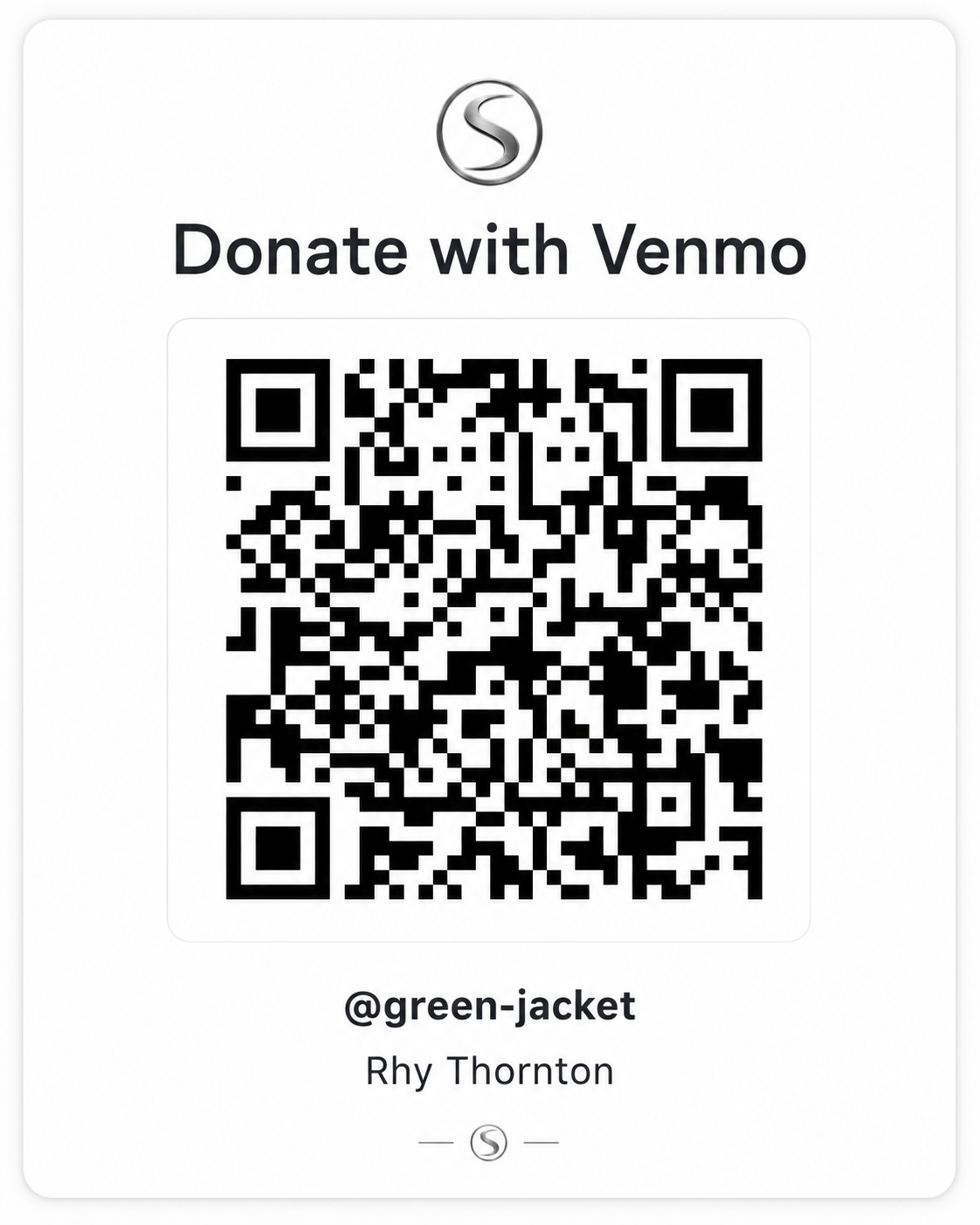
Spaced Linux is independently developed. Donations help cover domain costs, build infrastructure, testing, artwork, and the time required to keep the distribution polished and useful.

BUILD IT YOURSELF
Clone the project on a Debian- or Devuan-based host and build the same release image used by the project.
$ git clone https://github.com/crhy/spaced.git
$ cd spaced
$ make deps
$ make release
READY FOR MORE SPACE?